OAuth setup for bearer token generation
Employee Support CRM API requests require a valid OAuth token. OAuth tokens can be generated through Azure App Registrations with the appropriate claim on the Employee Support API OAuth provider. This is a step-by-step guide on how to create an OAuth client app registration, request a role claim and generate OAuth bearer tokens for API requests.
EmployeeSupport API application ID: efb16542-0a9f-4028-bdad-48a07effe23b
Required role claim: EmployeeSupport.API.CRM (requires admin consent)
The developer console for the pre-production CRM API can generate valid bearer tokens for in-portal testing. We recommend following the steps below to request OAuth permissions first, then using the developer console to learn about the API while waiting for admin approval.
Create a client app registration for OAuth token registration
Create an app registration in Azure.
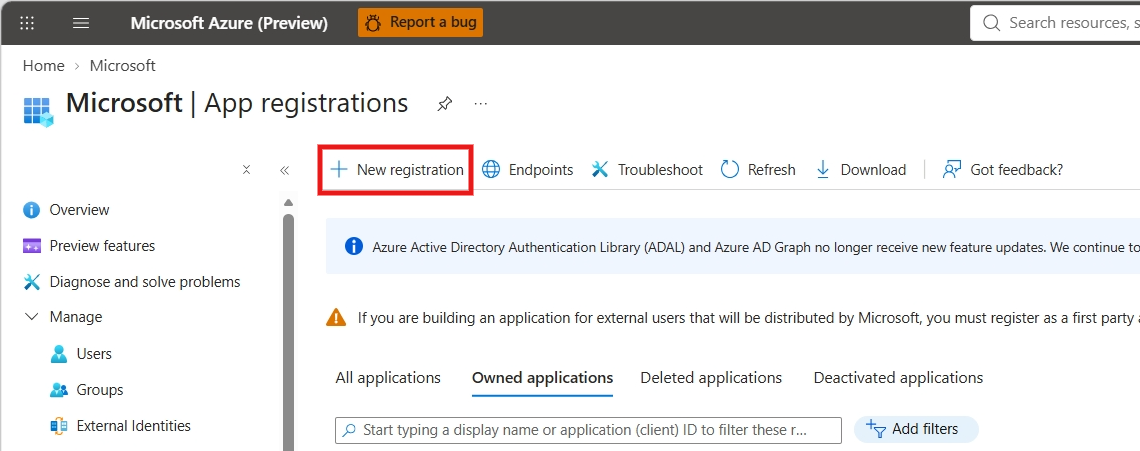
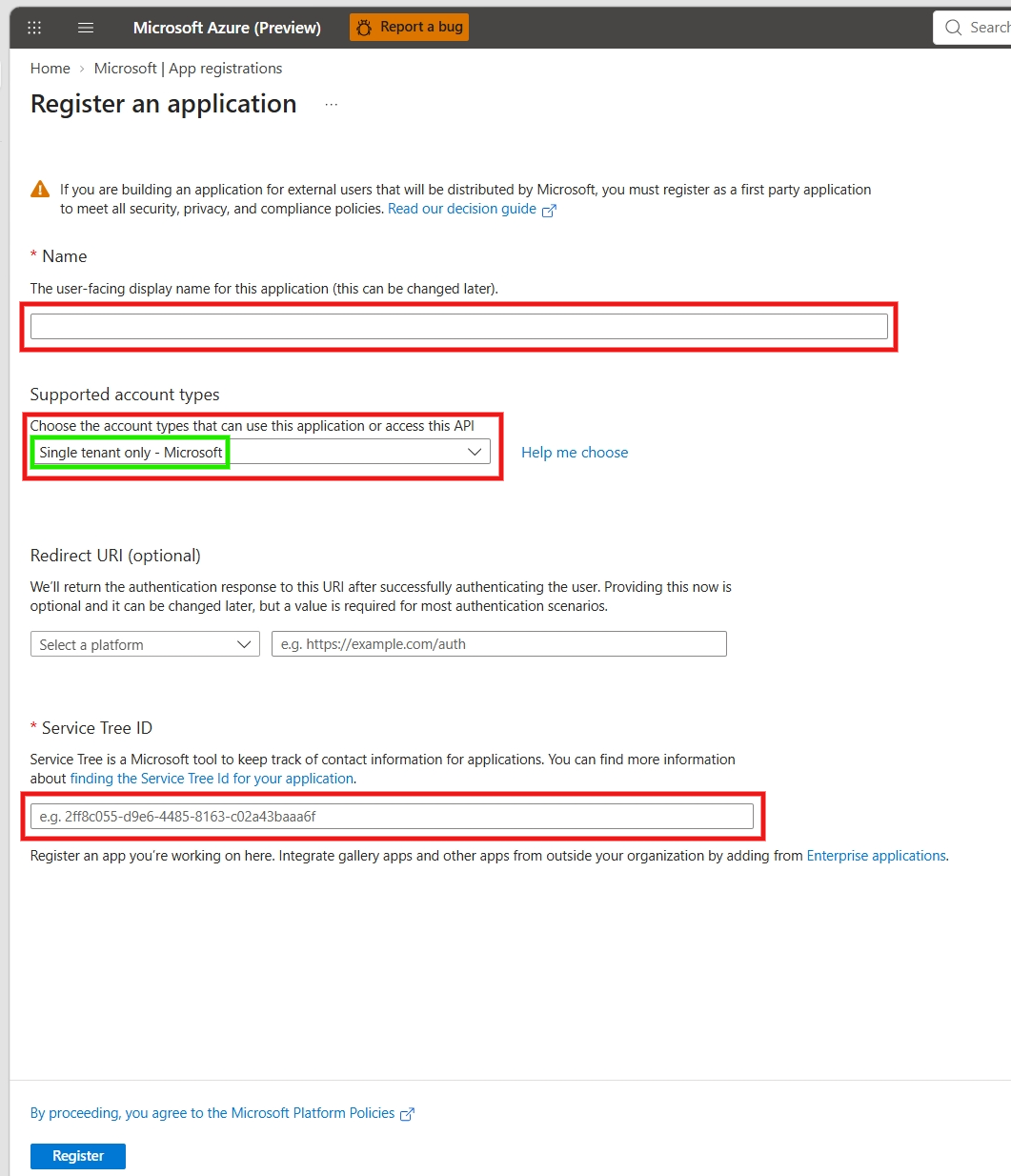
Click Register to create the app registration, then continue to the new resource.
Claim the EmployeeSupport.API.CRM role
Go to API permissions and click Add a permission.
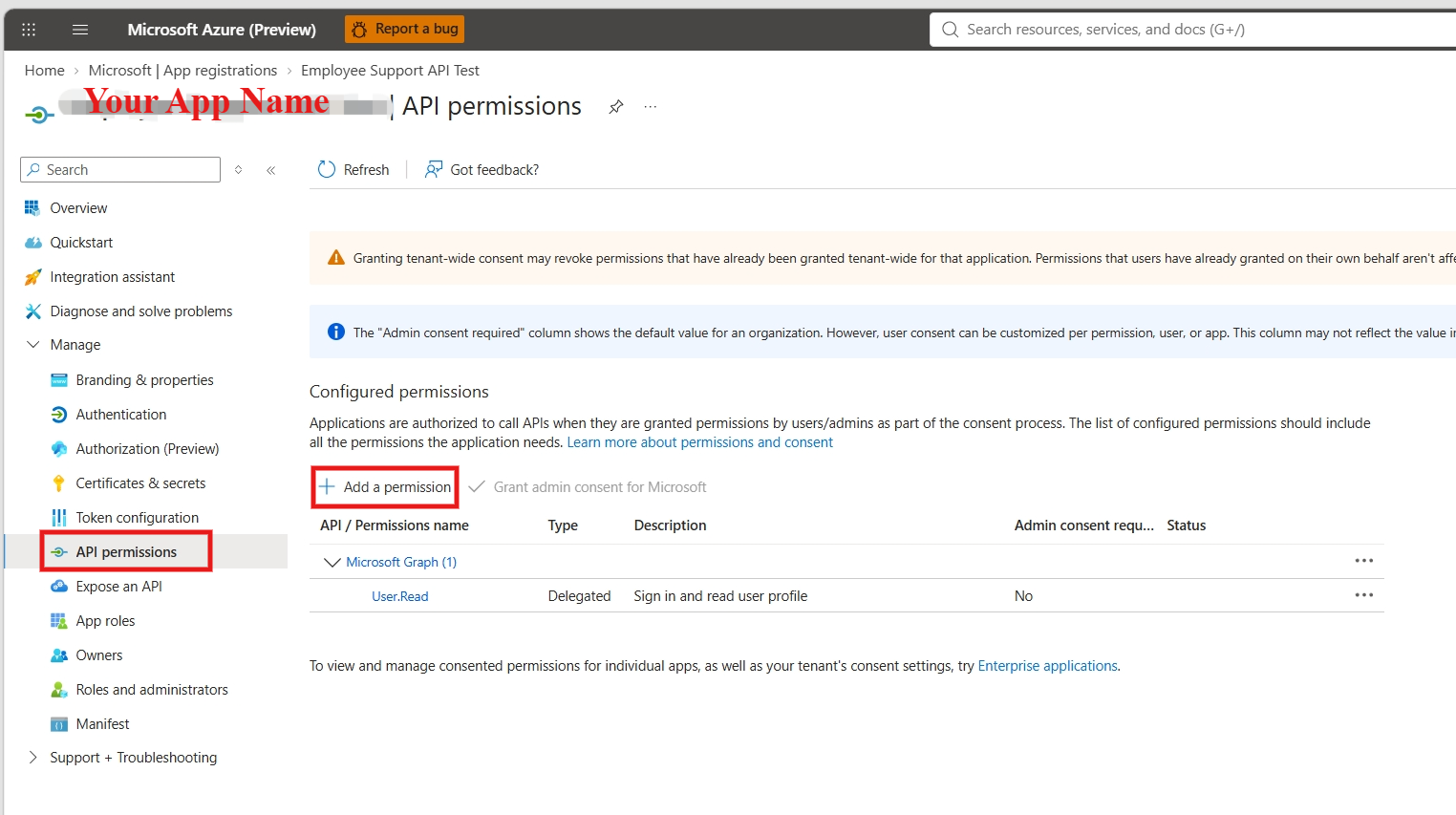
Find the Employee Support API [SIT] app registration by searching with the application ID efb16542-0a9f-4028-bdad-48a07effe23b , then select the Employee Support API [SIT] option.
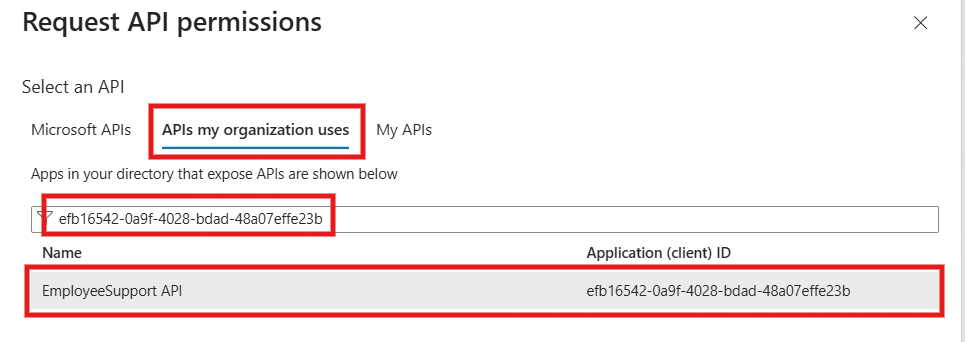
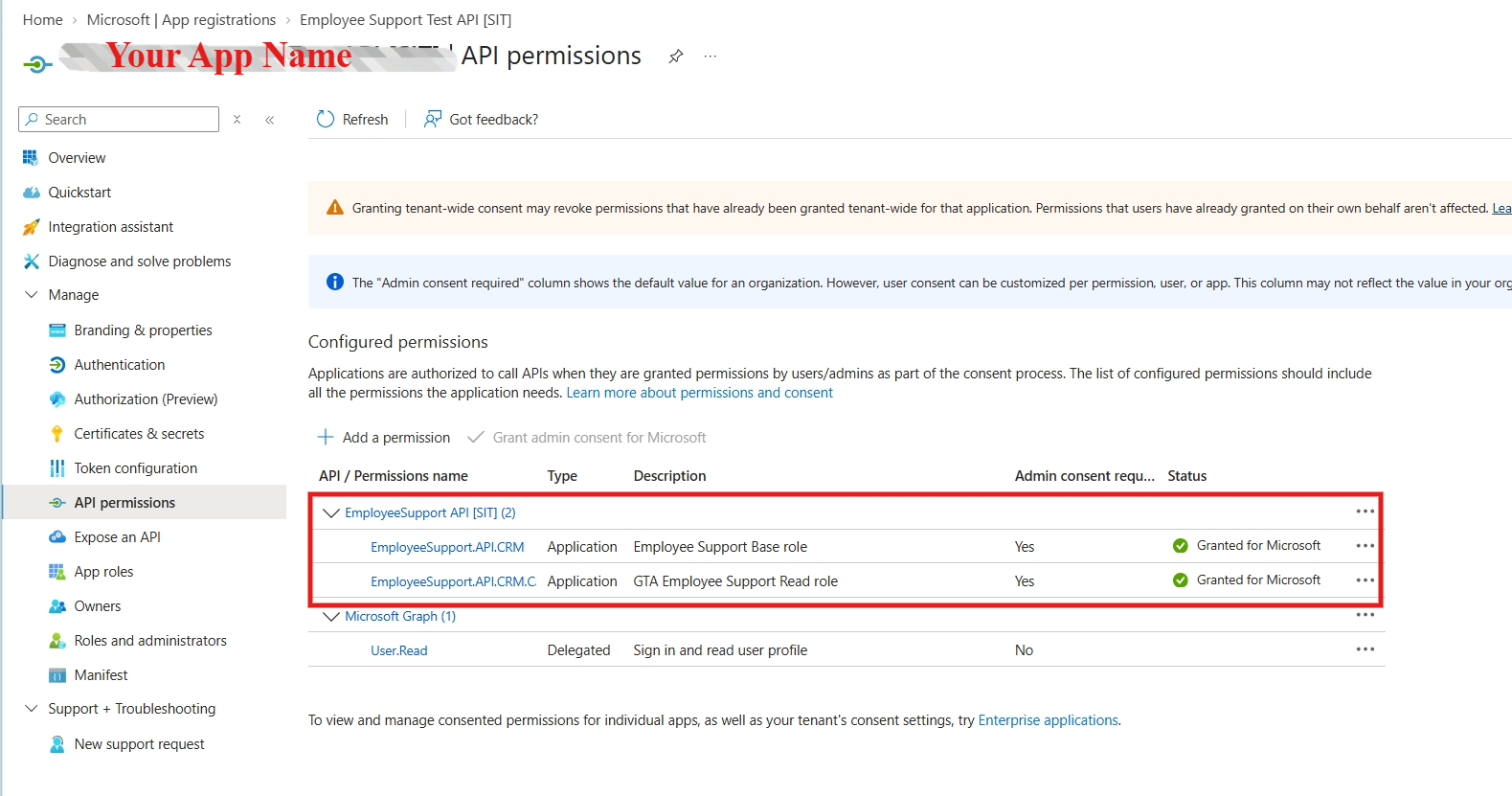
Select the EmployeeSupport.API.CRM permission and also select appropriate role for your service, then click Add Permissions.
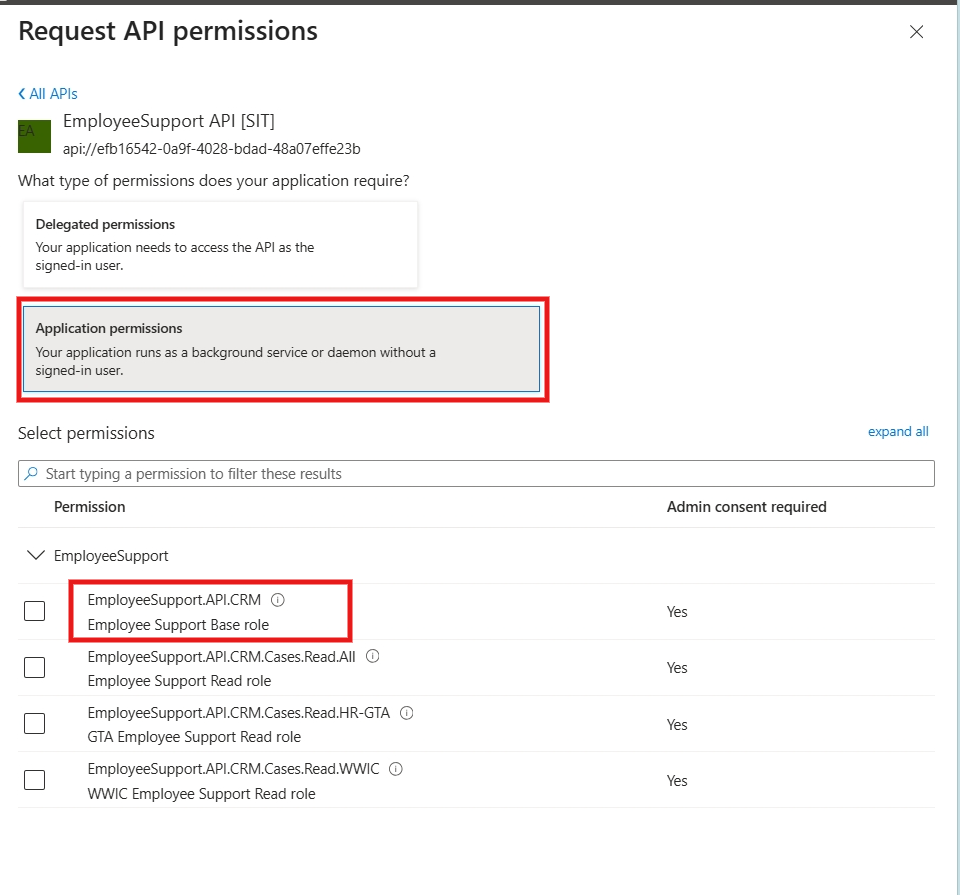
This will add the permission to the app registration, but it still requires admin approval. For Admin approval, contact the Employee Support Team, who will grant the Admin Approval.
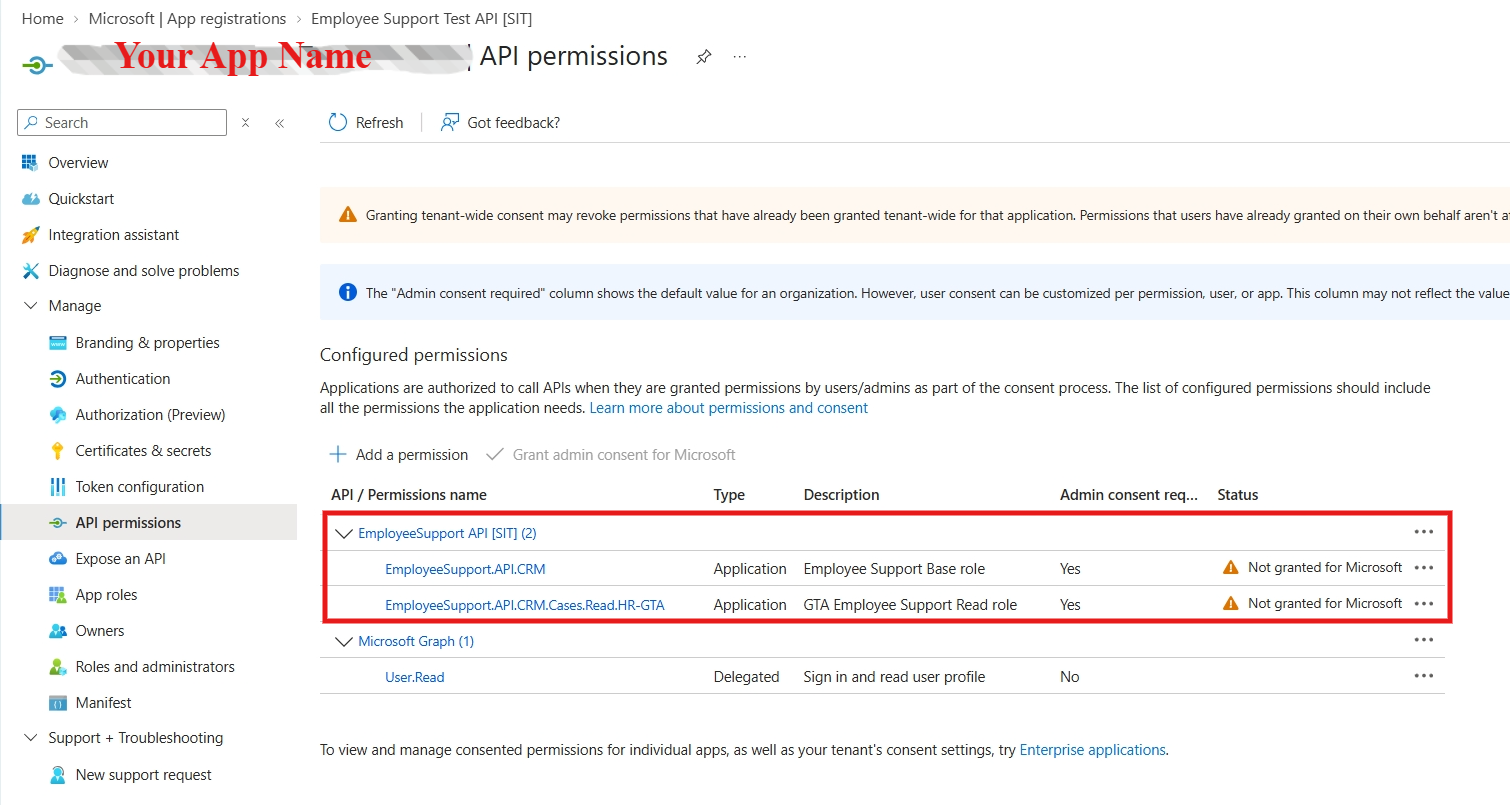
Once approved, OAuth tokens generated by this app registration will be valid when sending requests to the Employee Support CRM API.